
From Many Excel Files to One System for Staff, Invoices and Project Profit
Bunbu develops software for clients in Japan. We built this system for our own use, to manage staff, project assignments, invoices, acceptance reports, profit and sales in one place instead of many Excel files.
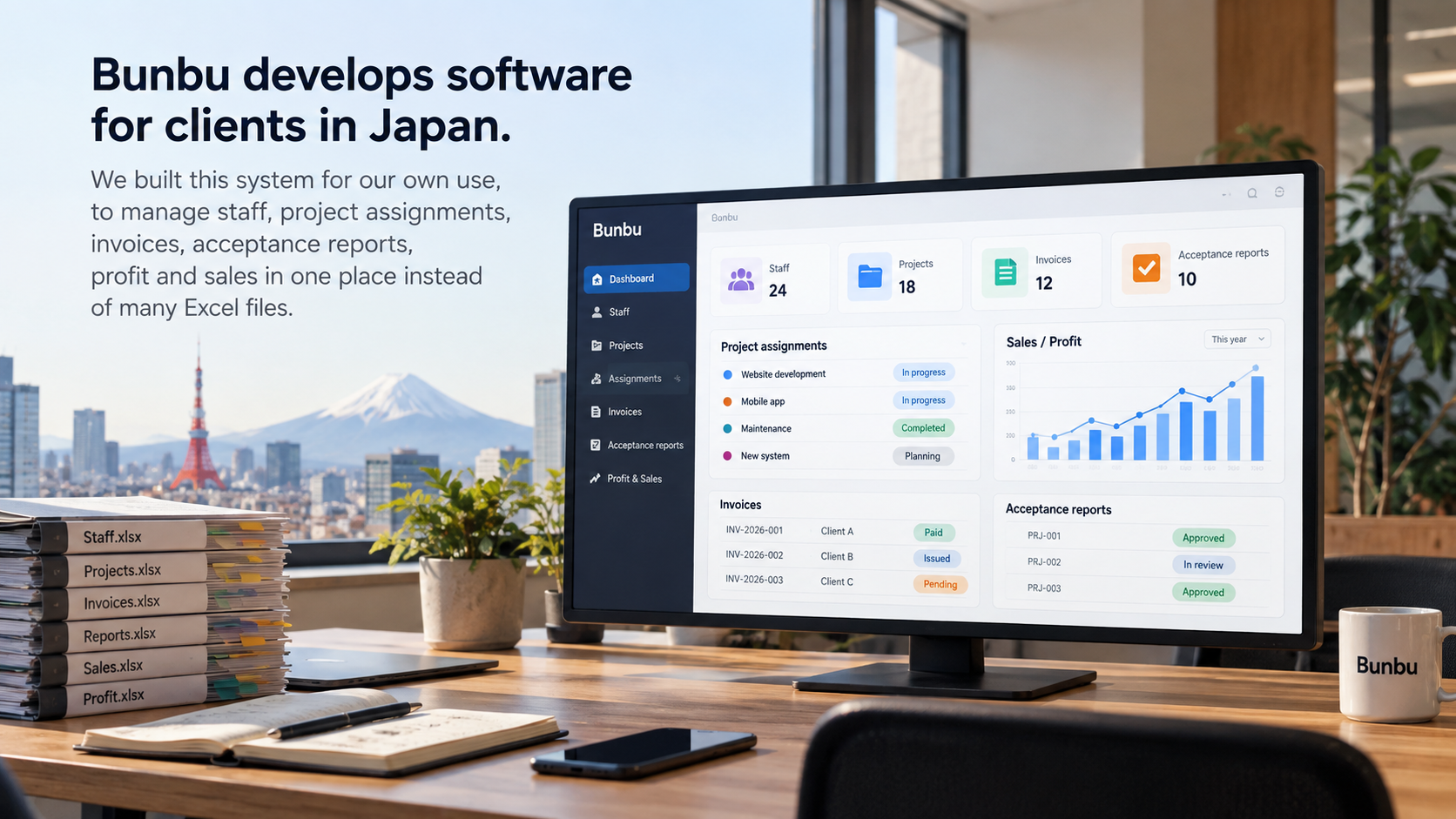
Everything lived in separate Excel files
Every month we need to know who works on which project, which projects have been invoiced, what the exchange rate is, and which projects make money. This information used to sit in many different Excel files.
Each person kept their own file
The staff list, project assignments, invoices and salary costs were all in separate files. The same numbers had to be typed in more than once, so the files often didn't match and it was hard to know which one was current.
Invoices often had mistakes
Every invoice needs the right number, exchange rate, VAT and language, in one of three currencies. One wrong cell meant redoing the invoice, and it was easy to forget to invoice a project.
Old information was hard to find
Finding out who changed a number, where last year's contract was, or who used to manage a project usually meant asking several people, and the answer was still uncertain.
Profit had to be worked out by hand
One engineer can work on several projects, so their salary is split by how much time they spend on each. Overhead is split too. Knowing which projects made money meant doing the math by hand.
Regular tasks were easy to miss
Whether anyone noticed an expiring employee contract or an empty acceptance report depended on someone remembering.
How daily work has changed
Data
Many Excel files, one per person, with the same numbers typed in several times.
The whole company uses one system. What each person can see depends on their role. Excel and CSV import and export are still there when needed.
Assigning staff
A spreadsheet each month, and no easy way to see who was free.
Staff are assigned by month and by share of time, with drag and drop on screen. You can see right away who is available.
Invoices
Copy last month's file, then fix the invoice number, rate and tax by hand.
Copy last month's invoice with one click. Invoice numbers follow a set rule. The PDF is sealed and emailed straight from the system. Before sending, AI checks all of the month's invoices.
Profit and sales
Added up by hand when needed, so the numbers came late.
The system recalculates every night: profit per project, and sales by client, salesperson and country. You can export to Excel at any time.
History
No record of who changed what, or when.
Every change is saved. There is a login history, a record of who managed each project, and each project's contracts.
Reminders
People had to remember.
The system sends a Slack message when an employee contract is about to expire or a project is missing acceptance information.
Monthly work follows one flow
The system follows the order in which the work happens each month. Data from one step is used in the next, so nothing is typed twice.
- Assign staffwho works where, and how much
- Salary costsplit by project
- Invoicesby project and month
- Acceptancecreated from the invoice
- Profit and salesupdated every night
Accounting
Accountants, system admins- Invoices for each project and month, marked as draft, unpaid or paid
- VND, USD and JPY, with exchange rates, VAT and withholding tax
- PDFs in Japanese or English with the seal; email one invoice or many at once
- A table of projects by month that shows which invoices are still missing
- AI checks the month's invoices. It only fixes drafts and never sends anything to clients
Management
Directors, department heads- Profit and profit margin for each project, by month
- Salary cost of people not yet assigned to any project
- Sales by client, salesperson and country; monthly and yearly reports
- An overview page updated every night, with Excel export
Project managers
Managers, team leads- Assign staff by month and share of time, with drag and drop
- Find who is free by month and by position
- Contracted workload and who has managed each project over time
- Monthly acceptance reports, with a reminder when one is left empty
HR and employees
HR team- Employee profiles: position, level, skills, languages, certificates
- Full-time, partner and freelance contracts, with a Slack reminder before they expire
- Import and export the staff list as a CSV file
- Employees update their own profile and skills on a separate page
Sales
Sales team- Client list with the salesperson in charge and the country
- Framework agreements and project contracts kept in one place
- See who is free by month and by position, to adjust sales plans
Invoices first, then one piece at a time
Invoices, staff and profit
The invoice part was in use about a week after we started. Then we added staff records, project assignments, salary costs, profit per project, monthly financial reports and the employee profile page.
Improving while using it
We added project manager history, acceptance reports, invoices in several currencies, withholding tax and contract storage. Each client, project and employee got one page that shows everything about them. Staff assignment got drag and drop.
Automation, security and AI integration
Work continues while the system is in use:
- Framework agreements, a team lead role, copying projects
- Two-step verification, passwordless login, login history
- An MCP server integration that lets AI help check invoices
We built this system to automate our internal management work.
We know software work for Japan
Bridge engineers, interpreters, dedicated engineers, fixed-scope projects, acceptance reports, invoices.
Most needed parts first
The invoice part was in use after about a week. Everything else came later, based on feedback from people in the company.
Agree first, then build
Every large feature starts with a short document on the problem, the scope and the approach. We start coding only after everyone agrees.
Old numbers can be traced
The system saves every change and who was in charge of what. Invoice numbers follow a fixed rule.
Financial data stays safe
Access is set by 6 roles, with two-step verification, passwordless login and a login history.
Built-in AI assistant
AI helps check invoice details to make sure they are accurate.
Companies that need to automate internal management work
This system suits companies that charge by person or by project, want to know the profit of each project, and invoice clients in other countries.
Do you still manage staff, invoices and profit in Excel?
In our first meeting, we ask how your company works today. After that, you get:
- A diagram of your current process, from assigning staff to invoicing and profit
- A list of tasks that can be automated, with the most useful ones first
- A suggested scope for the first phase and a plan for what comes next