
Just because a system is running normally doesn't mean it is secure.
Recently, many serious security vulnerabilities have been disclosed in operating systems, frameworks, software libraries and widely used technology platforms.
Some of these flaws let attackers run code remotely, take over servers, steal data or bring business operations to a halt. AI and automation tools are also making it faster for attackers to find and exploit vulnerabilities, and easier to do so across many systems at once.
A system can become exposed to new risks even if no one has touched its code. That is why businesses need to review, update and monitor their systems on a regular basis, rather than waiting until something goes wrong.
Recent critical vulnerabilities
| Vulnerability | Affected component | Severity | Status |
|---|---|---|---|
| PHP2Shell – CVE-2026-109618, CVE-2026-109619 (Oct 2026) | PHP (PHP-FPM, Apache mod_php, php-cgi, FrankenPHP, LiteSpeed) | CVSS v4.0 9.2 – remote code execution without authentication | Exploit code is publicly available and attacks have been seen in the wild. Fixed in PHP 8.5.12, 8.4.27, 8.3.36, 8.2.35 |
| React2Shell – CVE-2025-55182 (Dec 2025) | React Server Components and frameworks that use RSC, such as Next.js | CVSS 10.0 – remote code execution without authentication | Listed in CISA KEV. Next.js apps running the default configuration are affected too |
| SharePoint – CVE-2026-58644 (Jul 2026) | Microsoft SharePoint Server | CVSS 9.8 – remote code execution via a deserialization flaw | Attacked before Microsoft had released a fix. Listed in CISA KEV |
| Gitea – CVE-2026-60004 (Aug 2026) | Gitea (self-hosted source code management) | CVSS 9.8 – OS command execution on the server | Listed in CISA KEV. Compromised servers have been found running cryptocurrency-mining malware |
None of these flaws were in code that businesses wrote themselves. They were in the platforms their applications are built on. A PHP or Next.js website that has run without problems for years can still be taken over within days of a vulnerability being made public.
1. Security risks businesses should be aware of
| Component | Possible risks |
|---|---|
| Operating systems (Linux, Windows) | Privilege escalation, unauthorized access, server takeover |
| Languages / Frameworks (PHP, React, Next.js, Rails, Spring...) | Remote code execution, authentication bypass, data leaks |
| Open-source libraries | Libraries injected with malware (supply chain attacks), dependency vulnerabilities leading to remote code execution or data leaks |
| Web servers / Reverse proxies | Attackers exploit vulnerabilities or misconfigurations to gain unauthorized access |
| Databases | Data being leaked, altered or deleted |
| Cloud / Infrastructure | Leaked credentials, incorrect access permissions |
| CI/CD and admin systems | Attackers take over deployments or inject malware into applications |
| People | Employees falling for phishing emails, leaked passwords, malware installed by mistake |
Businesses should pay special attention to the following systems:
- Systems that have run for many years with few updates
- Systems with no one responsible for maintenance
- Systems using software that has reached end of support
- Systems whose admin pages are reachable from the Internet
- Systems without monitoring or without backups
2. Seven measures businesses should take
① Inventory and assess your systems
The first step is knowing exactly what you are running:
- List the servers, applications, databases and cloud services in use.
- Record the versions of operating systems, frameworks and key libraries.
- Identify components that have reached end of support.
- Check which services are reachable from the Internet.
- Assign an owner to each system.
② Check for vulnerabilities regularly
- Scan operating systems, server software and application libraries for vulnerabilities.
- Review security settings and follow security notices from vendors.
- Cross-check against the CISA – Known Exploited Vulnerabilities Catalog (data on GitHub) to prioritize vulnerabilities that are already being exploited.
- Assess risk based on how easily a vulnerability can be exploited, how exposed the system is to the Internet and the impact on the business. The CVSS score is only one factor to consider.
③ Patch and update promptly
- Apply patches to operating systems, frameworks and libraries with vulnerabilities.
- Plan the replacement of components that have reached end of support.
- If you have a staging environment, test updates there before applying them to production.
- Check the system again after patching.
- Deal with critical vulnerabilities that are being actively exploited right away. If the vendor has not released a patch yet, you can reduce the risk by restricting access, disabling the affected feature or isolating the system from the network.
Note: Rolling out updates across the board without first assessing their impact can cause outages or compatibility problems.
④ Tighten access control
- Do not expose admin services to the Internet unless necessary.
- Restrict where SSH, databases and admin pages can be accessed from.
- Use a VPN or an equally secure access method.
- Enable multi-factor authentication, especially for admin accounts.
- Grant only the permissions each job needs, and revoke permissions that are no longer used.
- Store API keys, passwords and credentials securely, never in source code.
- Train employees to recognize phishing emails and account takeover tricks.
⑤ Monitor and alert on security events
Watch for warning signs such as unusual logins, unauthorized access, changes to important files, unknown accounts or processes, suspicious network connections and requests that look like attacks.
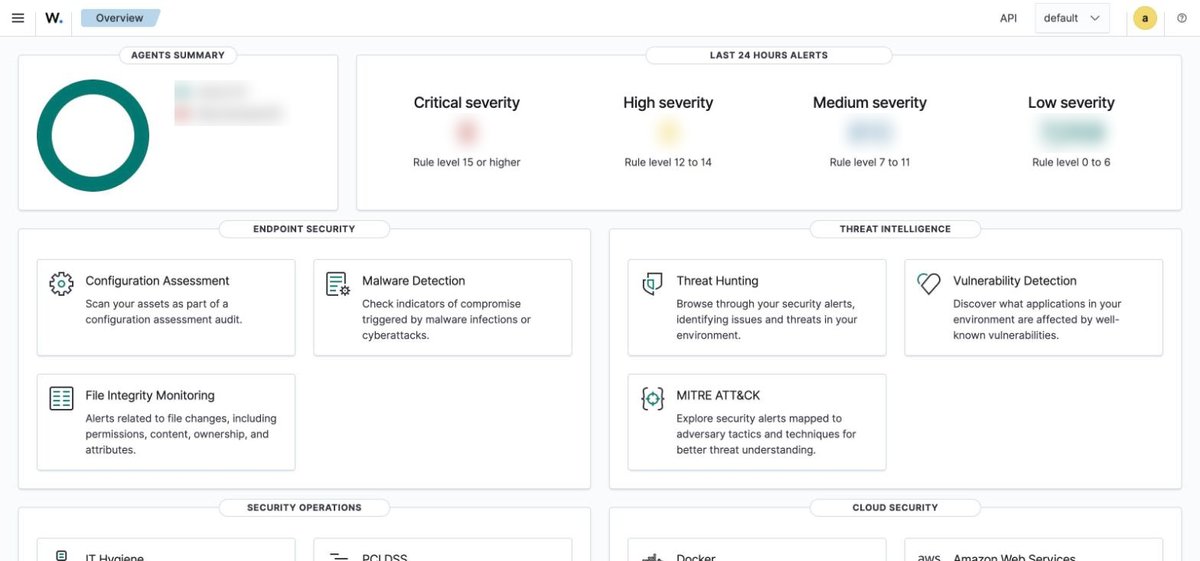
A SIEM solution (such as Wazuh) or an EDR tool can help. But a tool on its own is not enough: someone has to receive the alerts, analyze them and act on them.
⑥ Back up data and test restoration
- Set up automatic backups at a frequency that matches how important the data is.
- Keep backups separate from the production environment. If possible, use backups that cannot be modified or deleted, or offline backups.
- Restrict access to the backup system.
- Test data restoration regularly and define a recovery procedure for incidents.
Having backups is not the same as being able to recover. You only know a backup works once you have successfully restored from it.
⑦ Build an ongoing security management process
Detect → Assess risk → Prioritize → Fix → Verify → Monitor
Make it clear who tracks vulnerabilities, who assesses their impact, who fixes them, who confirms the fix and who coordinates the response when an incident occurs. For projects still under development, security checks should be built into the CI/CD pipeline.
3. Checklist: Is your business ready for security risks?
| No. | Item | Done |
|---|---|---|
| A | System management | |
| 1 | We have a complete list of the servers, applications and services we run | ☐ |
| 2 | We know which versions of operating systems, frameworks and key components we use | ☐ |
| 3 | We do not use end-of-support software, or we have risk controls in place where we still must | ☐ |
| B | Vulnerability management | |
| 4 | We check for CVEs and vulnerabilities regularly | ☐ |
| 5 | We follow security alerts from our vendors | ☐ |
| 6 | We have a process for prioritizing and handling critical vulnerabilities (for example using CISA KEV) | ☐ |
| 7 | We test and verify systems after patching | ☐ |
| C | Access control | |
| 8 | Admin services are not exposed to the Internet unless they need to be | ☐ |
| 9 | Admin accounts are protected with multi-factor authentication | ☐ |
| 10 | Access is limited to what each role actually needs | ☐ |
| 11 | Unused accounts and permissions have been revoked | ☐ |
| 12 | API keys and passwords are stored securely, not in source code | ☐ |
| 13 | Employees are trained to spot phishing emails | ☐ |
| D | Monitoring and detection | |
| 14 | We collect logs and monitor for security events | ☐ |
| 15 | We get alerted when unusual activity occurs | ☐ |
| 16 | A named person is responsible for handling alerts | ☐ |
| E | Backup and recovery | |
| 17 | Backups run automatically and we check that they succeed | ☐ |
| 18 | We keep separate backups that are protected from unauthorized deletion or changes | ☐ |
| 19 | We regularly test restoring data | ☐ |
| F | Operations | |
| 20 | A person or team is responsible for ongoing security maintenance | ☐ |
| 21 | We have an incident response procedure | ☐ |
| 22 | Automated security checks run as part of CI/CD | ☐ |
| 23 | We have a plan for regular security reviews and improvements | ☐ |
How to use this checklist
For any item you cannot tick yet, assess the risk and plan how to address it. Act immediately if any of the following apply: end-of-support software in use, vulnerabilities being actively exploited, admin services exposed to the Internet, no backups or untested restoration, or no one responsible for security.
This checklist is only for a preliminary self-assessment and does not replace an in-depth security audit.
4. Systems that have already been handed over
Many systems keep running for years after handover without any regular maintenance. Over that time, new vulnerabilities come to light, operating systems and frameworks reach end of support, older libraries stop being updated, and settings that once made sense no longer do.
A system that was secure at handover will not necessarily stay secure throughout its operation.
So even if no new features are planned, businesses still need to set aside budget and plan for security maintenance. Responsibilities also need to be clearly agreed between the development vendor, the infrastructure operator and the business that owns the system.
5. Conclusion: Security is ongoing work
No system is ever completely secure. But regularly reviewing vulnerabilities, keeping software up to date, controlling access, monitoring systems and backing up data all lower the risk of an attack and limit the damage if one does happen.
Start with these three priorities:
- Check: Review your systems and find the vulnerabilities that could affect them.
- Fix: Handle critical vulnerabilities first, especially those being actively exploited.
- Maintain: Keep up regular maintenance, updates and monitoring.
From first idea to a system that runs reliably, BUNBU partners with you at every stage — planning, requirements analysis, development, testing and operations. Get in touch for a free consultation.